One place for the whole pipeline
Collect companies, fill in what is missing, organise them into segments and reach them, without leaving the dashboard.
- Collect, enrich, organise, reach, export
- Every account on its own private server
- No credits and no fee per record
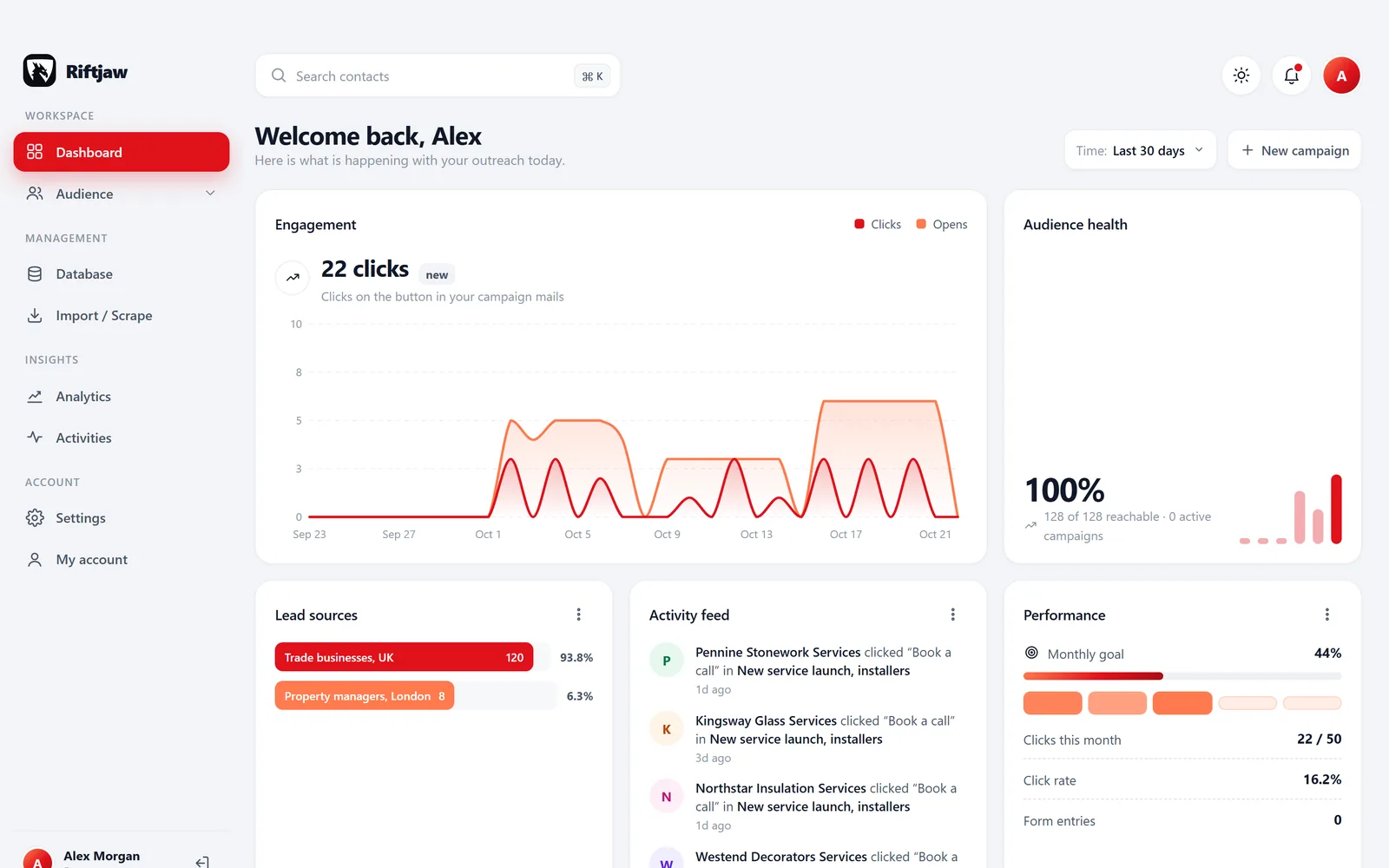
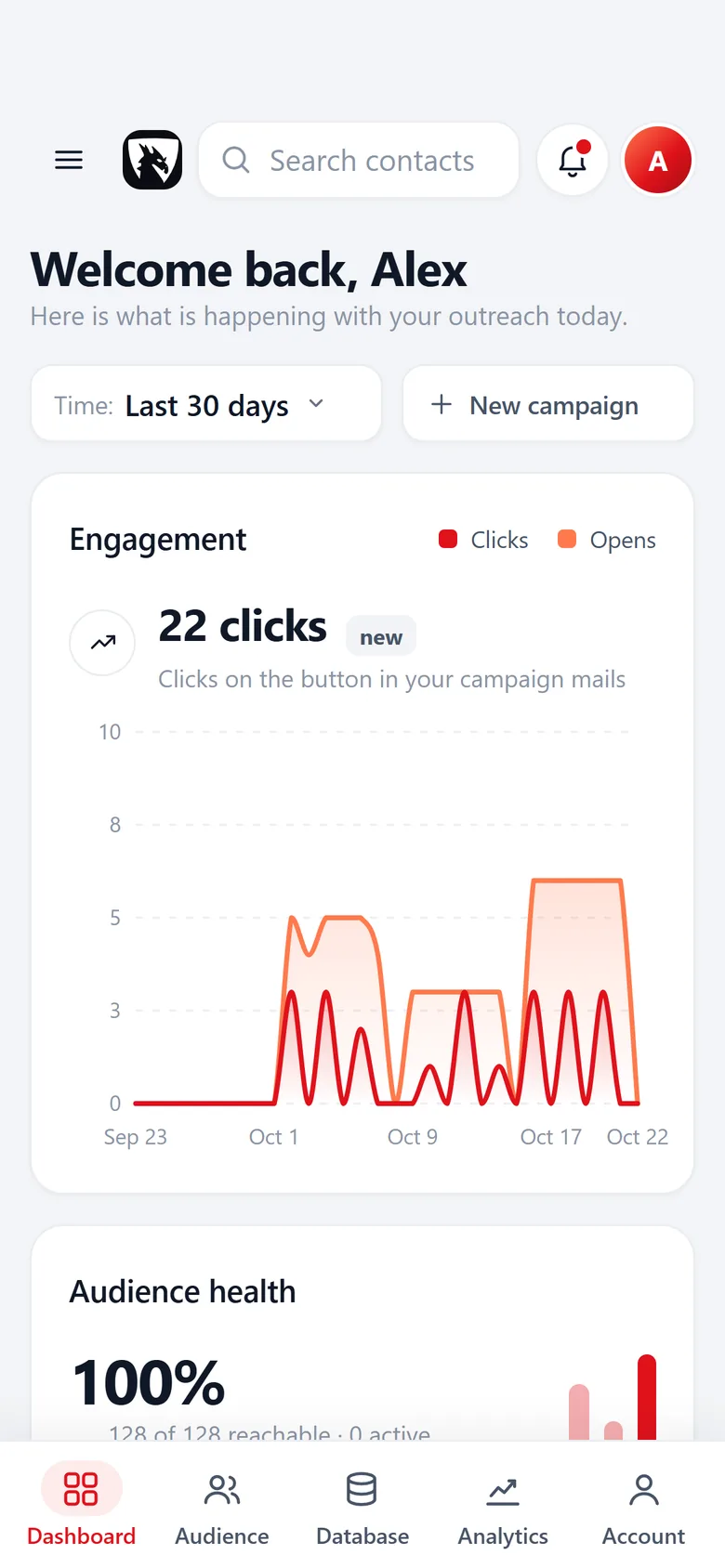
Five tools, five logins, one list that never adds up
Most small sales setups look the same. A scraper here, an email finder there, a spreadsheet in the middle and a mail tool at the end. You pay per row to look up an address, then again to send to it, and nobody knows which companies were already mailed or called.
Riftjaw puts the whole pipeline on one database that you build yourself. Every record keeps its status, tags and full history, so the answer is one click away.
- No credit meter: import, derive and segment as much as you like
- Who is new, who opened and who clicked, per contact
- All of it goes out as CSV at any moment, nothing is rented
Collect: bring in what you already have
Start with the lists you have lying around. Scraper exports, directory lists, trade fair sheets, an old CRM export. Riftjaw reads CSV with commas or semicolons and Excel .xlsx files, matches the columns and flags duplicates before anything is saved.
Found a useful page but no export? Paste its HTML into paste and collect, pick the repeating blocks and send the rows to the import.
- Every import goes into a segment you pick or create on the spot
- Several URL columns? You pick which is the real website
- Unknown columns become new fields
- The original file stays with the import

Enrich: fill the gaps from the website
Half of every scraped list has a website and no email address. Riftjaw strips the domain and builds addresses from the prefixes you tick, such as info@, hello@ or sales@, plus any prefix you add yourself.
These addresses are educated guesses based on common patterns. They are marked as derived and never overwrite an email that was already in your file.
- You tick the prefixes in the column step of the import
- Derived addresses stay marked, so you can check them first
- No credits for it, on any plan

Organise: a database you can actually work
Once the rows are in, they stop being rows. They become records you can sort, tag and slice.
Your own fields on every lead file
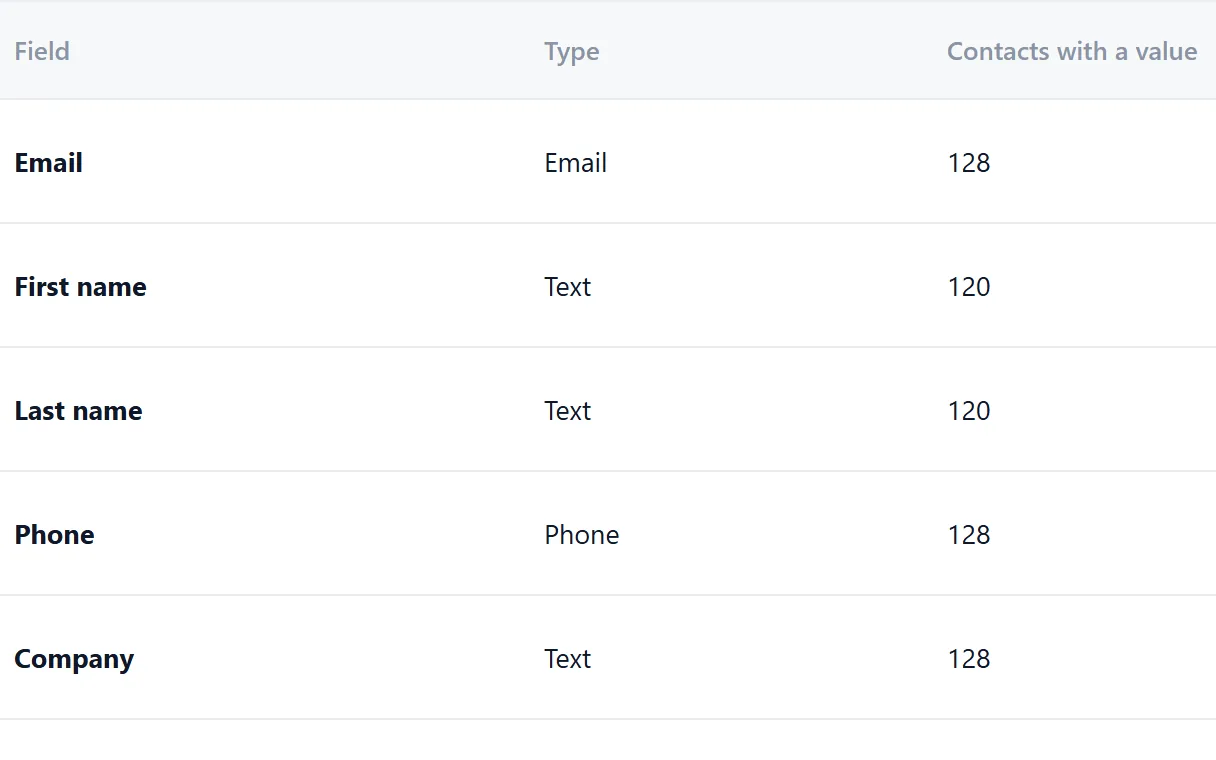
Add the fields you need next to the standard ones. They are shared by every lead file and every import, and a key field catches duplicates on the way in.
- Text, email, phone, website, number, date and note fields
- Rename a field or mark it as the key
- See how many contacts have a value
A record per company
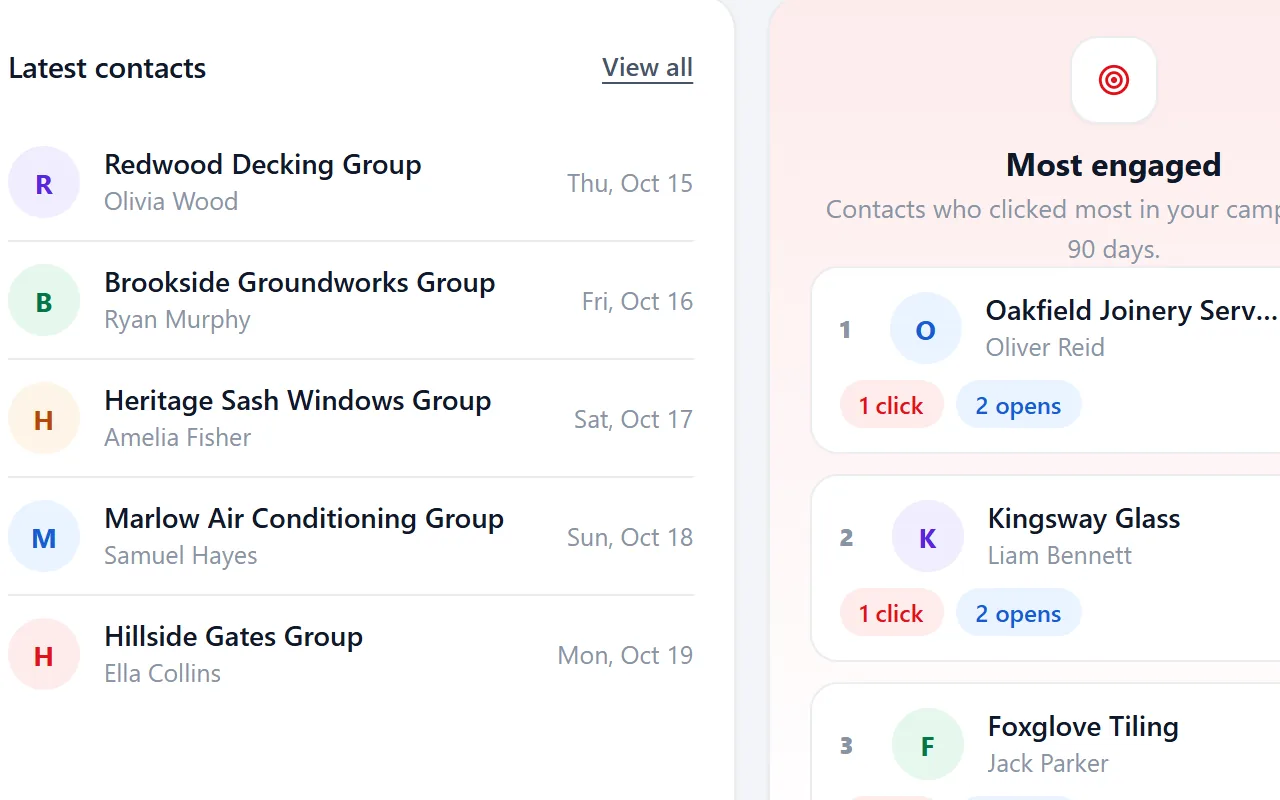
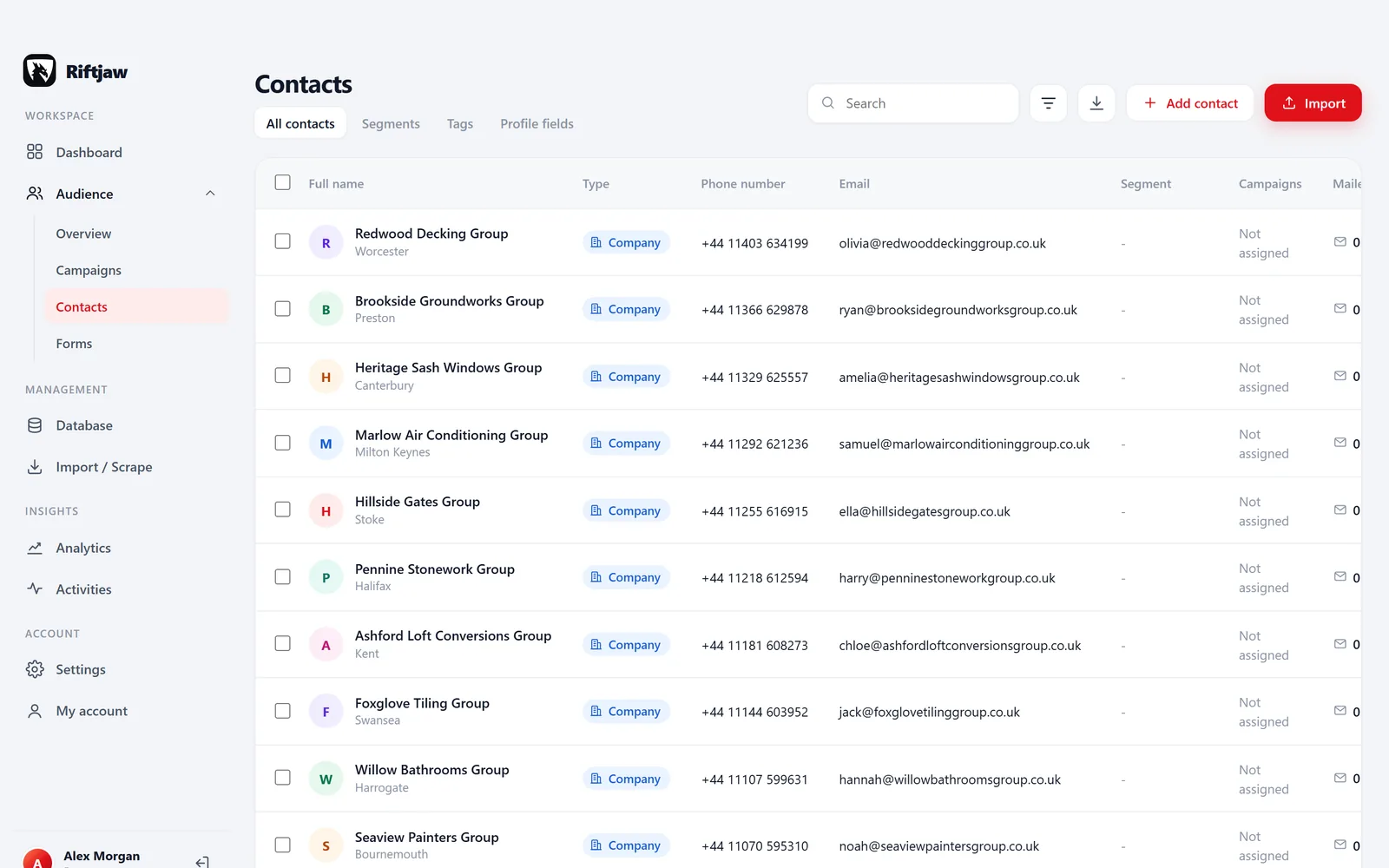
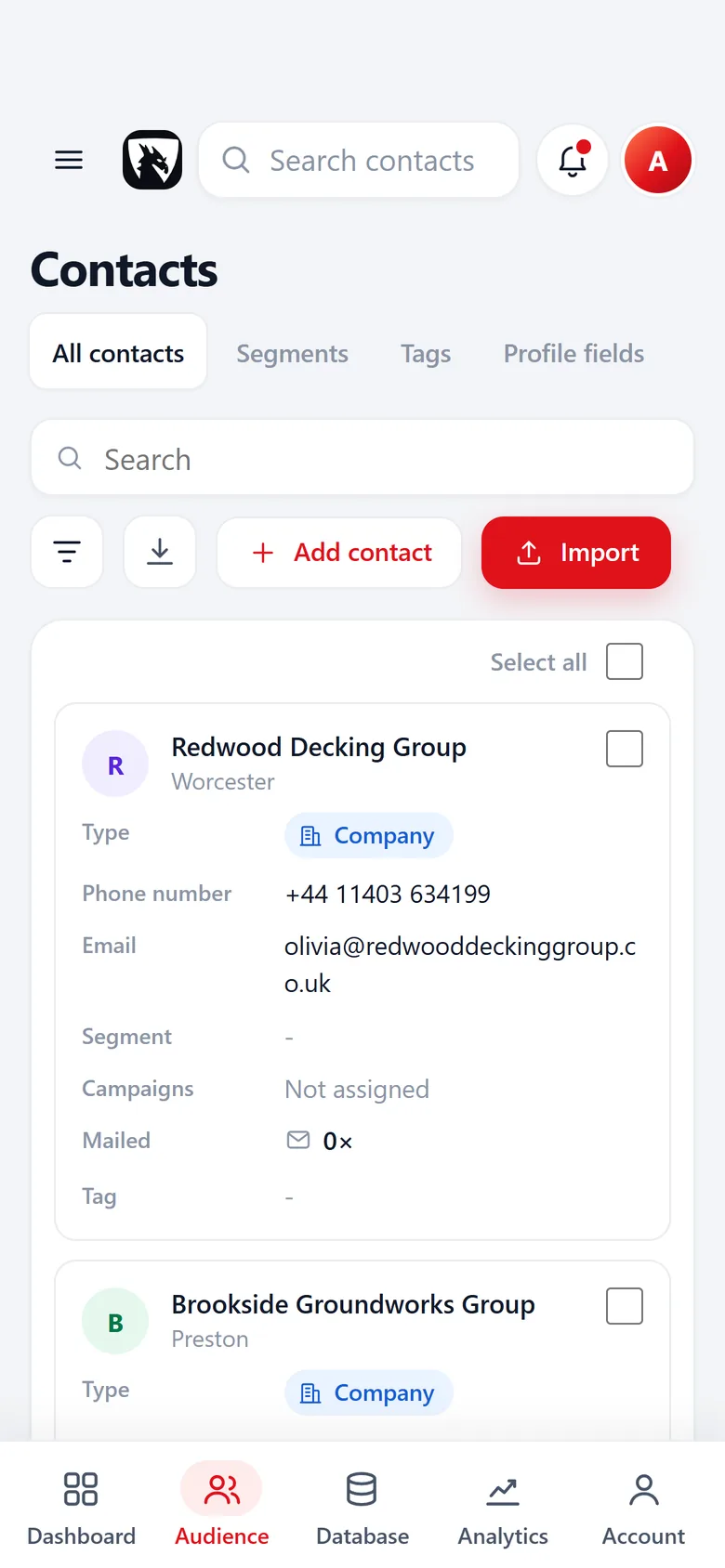
Profile, notes, status and your own tags on one panel, with a history of every mail, open, click and form entry.
- Status from New to Contacted, Replied and Customer
- Tags like Warm lead or Follow up in spring
- The campaigns it received and what it did with them

Named segments
Every contact you add and every import goes into a segment you choose, with its number of contacts next to it. Saved filters on your fields sit below.
- Add or remove contacts in bulk
- Saved filters, like tagged Hot or city contains Leeds
- On every plan, Free included

Reach: email a segment, gently
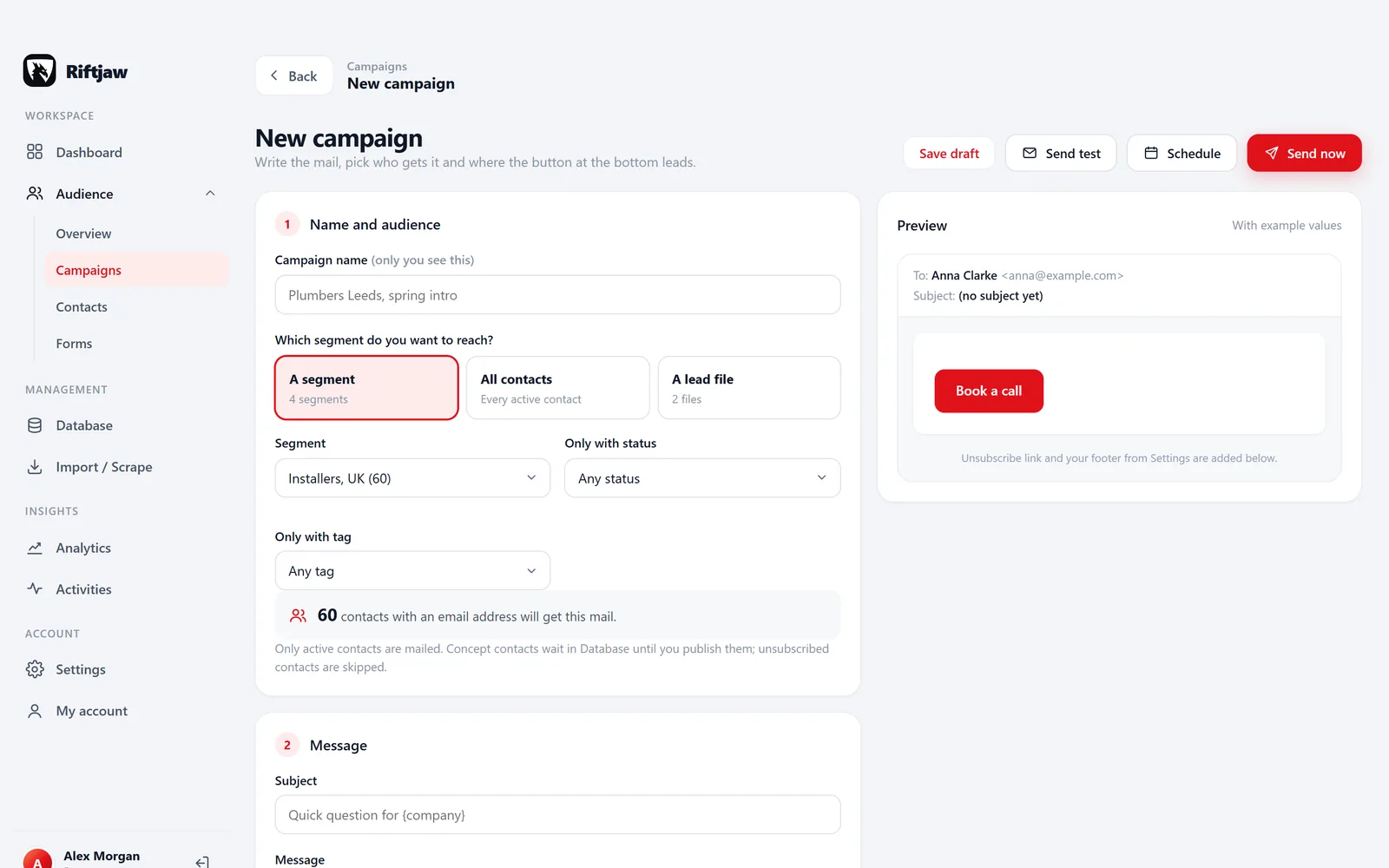
Write one email with placeholders like {first_name|there} and {company}. Send a test to yourself. Then pick a segment and Riftjaw sends in small batches through the mail setup of your account, so your domain is not flooded in one go.
Add up to 5 follow-ups, to everyone, to those who did not open or to those who did not click. Replied, Customer and Unsubscribed contacts never get one. Riftjaw does not read your inbox, so you set Replied yourself.
- Pause and resume at any moment
- Opens and clicks land on the record
- Email only, on purpose
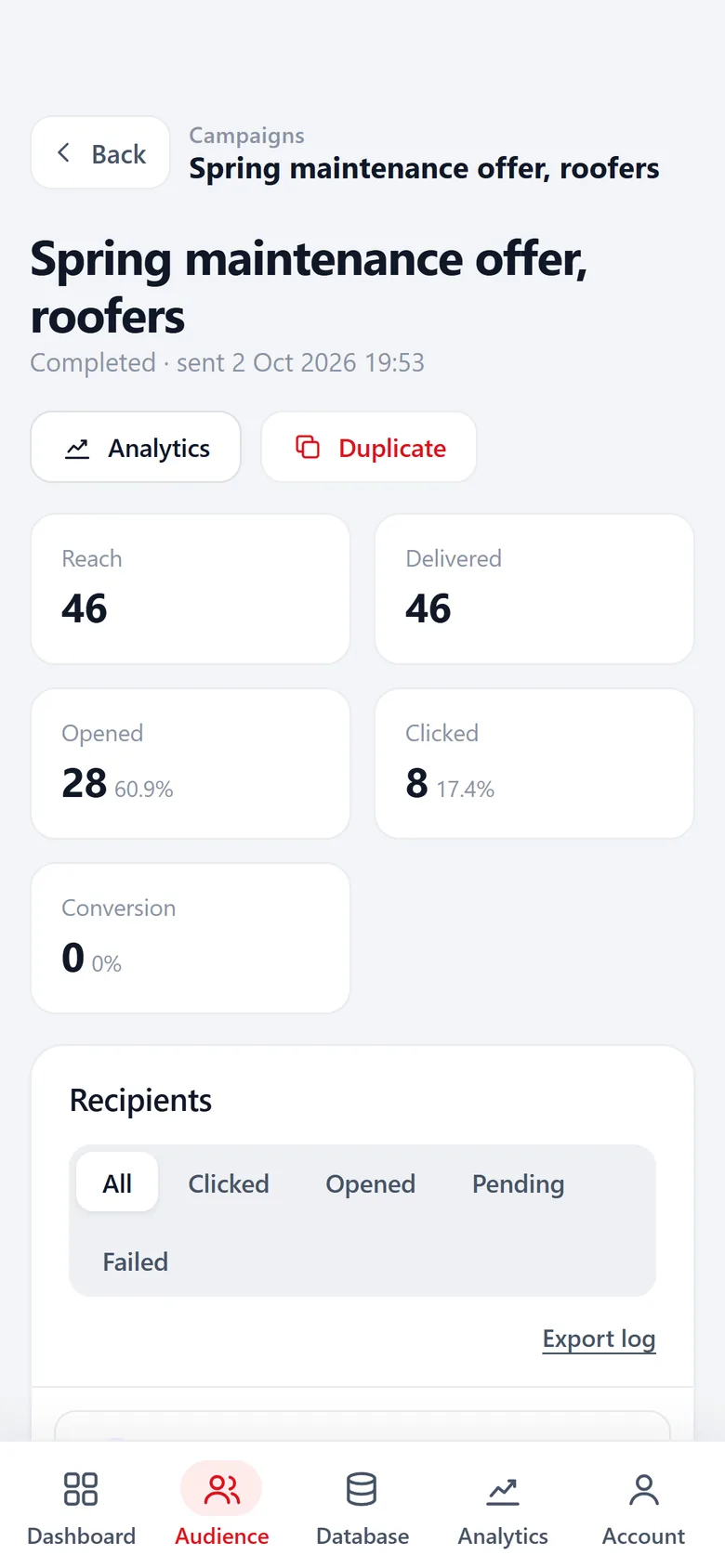
The numbers that matter to you
Export: the exit is always open
Everything you build is yours. Export all contacts or one segment as CSV, export form entries, and get the original import files back whenever you want. That includes the day you decide to leave.
A lead database gets more valuable every week you work it. The sooner you start keeping it in one place you control, the less work you lose to scattered spreadsheets.
- All contacts, a selection or one segment
- Status and tags go into the CSV
- Form entries and original import files too
Questions people ask
No. Riftjaw does not sell data. You bring your own lists and build your own database. That is why there are no credits.
No. You import files or paste the HTML of a page you opened yourself. Riftjaw turns that into records.
No. Campaigns are email only. If you need other channels, export a segment and use it in the tool you prefer.
Every account runs on its own private server with its own database. Read more on the security page.
There is a free plan to start, no credit card needed. Paid plans have no per record fees and no limit on users. See pricing.
Also worth reading
How it works
Import, enrich, organise, reach. Four steps you repeat every week on a database that keeps getting better.
Read more
Changelog
Every release, what it fixed and what it added.
Read more
Features
The parts that turn a list of company names into a database you can actually work.
Read more Who it is for
The same database, used in a different way depending on who is behind it.
Read more
Guides
How to collect, enrich and reach companies without breaking anything.
Read more
Blog
Notes on prospecting, data and doing it without renting a database.
Read moreStart the database you will still use next year
Create a free account, import one list and walk it through all five stages this week.
No credit card · cancel any time · your data stays yours