Slice the database your way
Add your own fields, group contacts into named segments and save the filters you use every week.
- Segments with their own name
- Fields that match how you sell
- Tags you name yourself

From a list to a segment to a campaign
A segment is a named group of contacts, like Roofers Leeds. You fill it while the contacts come in, and one campaign reaches all of them.
Every import goes into a segment
Pick a segment when you import a list, or create one on the spot. A contact you add by hand goes into a segment you choose as well, so nothing ends up loose.
In the same step every column of the file gets a profile field, a new field or is skipped on purpose.

Add or remove contacts in bulk
Tick contacts in the list and add them to a segment or take them out. The same bar sets a tag or a status for all of them at once.
Contacts and Database both filter by segment, so you always see who is in it.

Reach the segment with a campaign
A campaign asks which segment to reach first. Narrow it by status or tag and see how many contacts will get the mail before anything goes out.
A saved filter can be the audience too.
See how campaigns work
Fields that fit your market, not ours
A roofer cares about region and building type. A wholesaler cares about product range and order size. Riftjaw does not force a fixed CRM layout on you. Profile fields are shared by every lead file and import: text, email, phone, website, number, date and note. Add fleet size, opening year or last visit, whatever helps you choose.
Columns you import that do not exist yet become new fields on the spot. Pick one field as the key, such as website or email. That is what Riftjaw uses to spot duplicates when the next list comes in.
- Rename or describe a field at any time
- Number and date fields filter with more than, less than and between
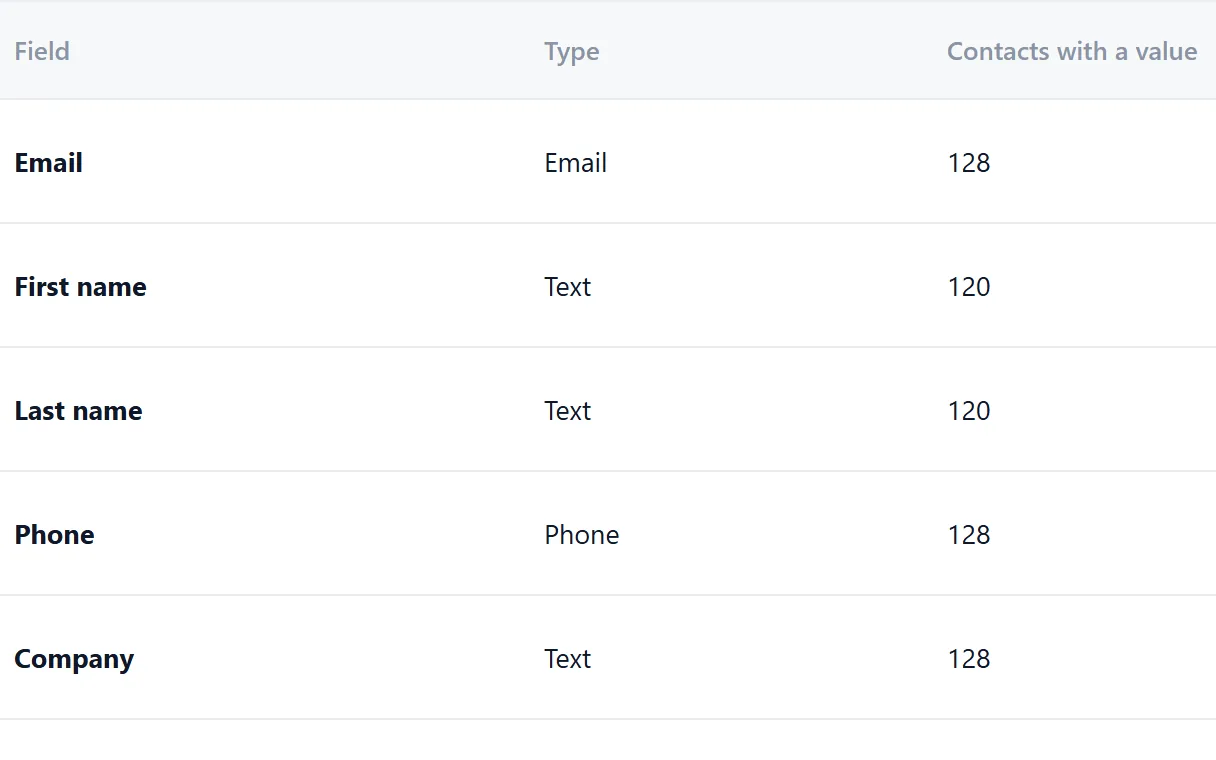
- See how many contacts have a value in each field
Tags are how you remember
After a call you know more than any field can hold. They are interested but not before spring. They already have a supplier. Put the detail in a note on the record, and put the conclusion in a tag you attach in one click.
Because you name the tags yourself, they follow your own way of working. Then you filter on them: everything tagged warm that has not replied yet. Keep a rule you use often as a saved filter, next to your segments, and a campaign can reach it too.
- Warm: showed interest, follow up soon
- Cold: no response yet, fine for a later round
- Already called: keep out of the next call list
- Not a fit: keep the record, leave it out of your segments

The spreadsheet way, and this way
You build the same filter by hand every Monday.
Keep it as a saved filter, next to your segments. It is there next Monday.
One big list gets the same mail, whatever the trade or the town.
Split it into segments like Roofers Leeds and write a mail that fits each one.
A company replied but still gets the follow-up.
Set the status to Replied and campaign follow-ups skip the contact.
Colleagues use different words for the same thing.
Tags are shared in the account, so everyone picks from the same list.
Questions people ask
As many as you need. Add them by hand or let the import create them from unknown columns.
You pick the segment when you add the contact by hand or import a list, and you can create a new one on the spot. You can also select contacts in the list and add or remove them in bulk.
A segment is a group you fill yourself. A saved filter is a rule on the fields of a lead file, such as everyone tagged Hot or city contains Leeds. A campaign can reach either one.
Yes. Segments are on every plan, Free included.
Yes. Contacts and Database can both be filtered by segment.
Yes. Export any segment as CSV and use it wherever you like.
No. Make as many as are useful, and remove the ones you stop using.
Also worth reading
Import lists
CSV and Excel land in your database with the columns matched and the duplicates already filtered out.
Read more
Email from domain
No email in the file? Derive it from the domain, for every row, without a credit meter running.
Read more Database and records
Profiles, notes, status and the full history of everything you sent, in one place.
Read more
Campaigns
Write once with placeholders, send in small batches, and watch the status move on its own.
Read more
Paste and collect
Paste a page, pick the blocks you need and send them straight into your database.
Read more
Export
Export everything to CSV whenever you want, including on the day you leave.
Read moreMake your first segment this week
Import one list into its own segment, tag the companies you already know and send it a first campaign.
No credit card · cancel any time · your data stays yours