Generic mass emails when you sell to landscapers
Would you reply to the email you are about to send? Here is how people who sell to landscapers fix it.

Would you reply to the email you are about to send?
Emails that clearly went to everyone get ignored. Writing a personal email to every company is not realistic either.
It hits harder when you sell to landscapers. Landscapers range from garden maintenance rounds to design and build firms that lay patios and plant full gardens. Work is seasonal, so owners plan equipment and staffing in the quieter months and buy when they expect a busy season.
Low reply rates make outreach feel pointless. Prospects remember you as the company that sent a generic blast.
Personal emails without writing each one.
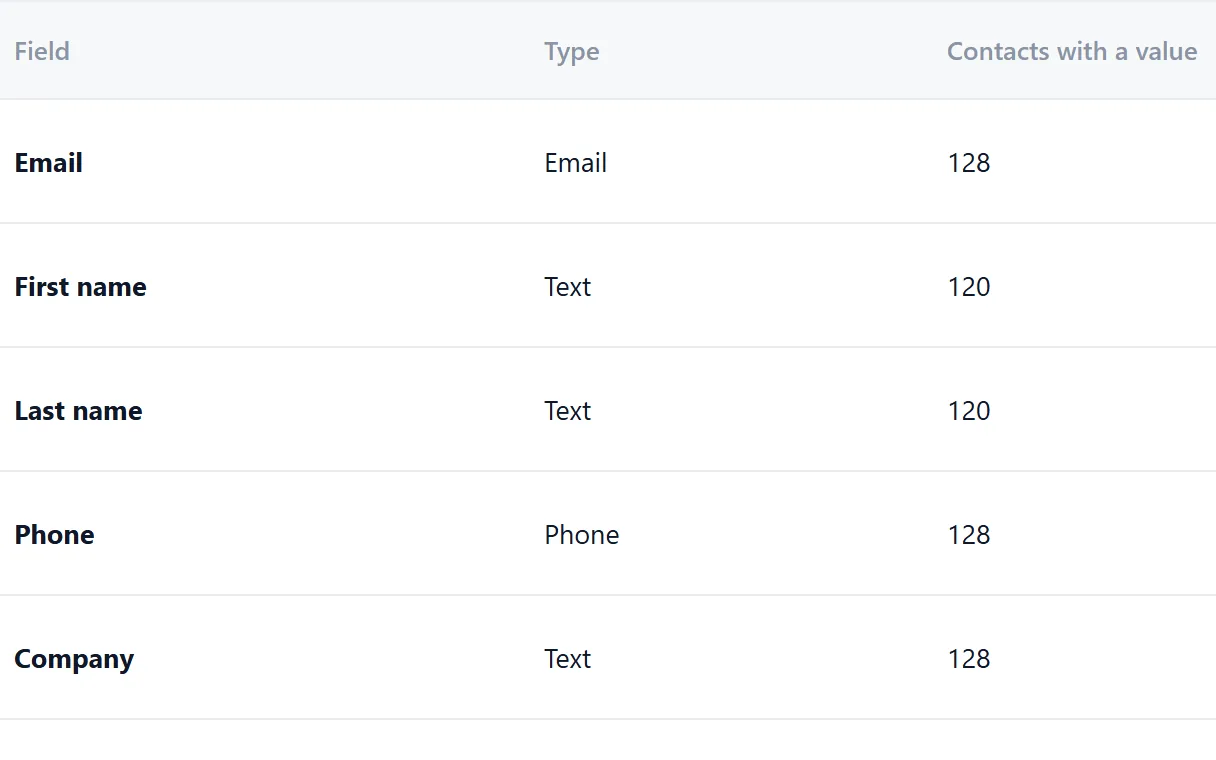
Riftjaw campaigns use placeholders such as {company} and {first_name|there} with a fallback when a field is empty. Your own fields, like a note on what you noticed about their website, can go into the email too. Each company gets a message that reads as written for them.
- Fields that fit landscapers, such as maintenance or design and build
- Email prefixes that fit, like info@, hello@ and office@
- Status, tags and a segment on every record

How to fix it in Riftjaw
- Add useful fields. Store details such as town, sector or a short observation per company.
- Write with placeholders. Insert those fields into the email with a fallback.
- Test the result. Send a test to yourself to see how a real email reads.
Other walls when prospecting landscapers
Maintenance rounds and design firms appear in the same search results.
Record the type in a field and save a filter for each, so machinery offers and design offers go to the right people.
Contact details on garden firm websites are often only a contact form.
Email from domain suggests common addresses like info@ and hello@ from the website, marked as unverified guesses.
Timing is everything, but you forget to follow up before the season.
Tag contacts with the month you want to follow up and save a filter on that tag when the time comes.
Fields worth recording for landscapers
Any column in your import can become a field. These are the ones worth keeping for landscapers.
| Field | Why it helps |
|---|---|
| Company name | The key field. Duplicates are checked on it or on the website. |
| Website | Needed to derive an email when the export has none. |
| Maintenance or design and build | The two types of firm buy very different things. |
| Commercial contracts | Firms that maintain business parks or estates need larger equipment. |
| Hard landscaping | Patio and paving work matters to stone and aggregate suppliers. |
| Crew size | Shows how many machines and vans they might run. |
Questions people ask
Most are busiest from spring to early autumn. Plan your first campaign for the quieter months and keep a segment of warm contacts for a follow-up before spring.
Yes. Add fields such as Maintenance or design and build and Hard landscaping, fill them as you review records and save a filter on them.
If your file has an email column, that wins. If it only has websites, tick the prefixes you want, such as info@, hello@ and office@, and Riftjaw derives addresses from each domain. Derived addresses are good guesses, not verified, so start with small batches.
Yes. The Free plan runs the whole pipeline on one list with small campaigns, and you do not need a credit card. Move to Pro when you want more lists, segments and bigger campaigns.
Build the list in a city
 Landscapers in SeattleWashington, United States
 Landscapers in ManchesterGreater Manchester, United Kingdom
 Landscapers in MiamiFlorida, United States
 Landscapers in Los AngelesCalifornia, United States
 Landscapers in VancouverBritish Columbia, Canada
 Landscapers in EdinburghCity of Edinburgh, United Kingdom
Build a database you own
Create your account, import your first list and see it turn into records you can work.
No credit card · cancel any time · your data stays yours