Plumbers in Cambridge: build your lead list
Stop renting contact data. Put every plumber in Cambridge you can find into your own database and work the list week after week.
- Public sources for plumbers in Cambridge
- Missing emails derived from websites
- No credits, no rented data

Reaching plumbers in Cambridge
Most plumbing firms are owner-run with a few engineers and a van each, so the person you want is often the one under a sink when you call. The owner decides on almost everything, from software to suppliers, and tends to buy when something saves time on quoting, invoicing or finding the next job.
Start with Cambridge itself and keep Norwich, Milton Keynes and London as separate segments. That way a campaign never reaches the same plumber twice, and you can see at a glance how much of Cambridgeshire is done.
Most sellers work from a bought list that everyone else has too. A list of plumbers in Cambridge that you built yourself is the one nobody else is emailing yet.
Build your Cambridge list of plumbers in four steps
Nothing is written to your database until you confirm it.
Collect plumbers in Cambridge
Export plumbers in Cambridge from Google Maps listings or online trade directories as CSV, or paste the results page into paste and collect.

Import into one lead file
Drop the file into a lead file called Plumbers Cambridge. Columns are matched for you and duplicates are flagged before anything is saved.

Fill in the missing emails
No email in the export? Tick info@, office@, enquiries@ and hello@ and addresses are derived from each website.

Reach them in small batches
Pick the segment, keep only status New, write one mail with placeholders like {company|your team} and send it in small batches.

Fields worth recording for plumbers in Cambridge
Any column in your import can become a field. These are the ones worth keeping for plumbers.
| Field | Why it helps |
|---|---|
| Company name | The key field. Duplicates are checked on it or on the website. |
| Website | Needed to derive an email when the export has none. |
| Service area | Where they work, so you can split the list by town or region. |
| Emergency callouts | Firms that offer out of hours work often care about call handling and dispatch tools. |
| Gas work | Whether they also do boilers and heating changes what they buy and who they buy it from. |
| Team size | A sole trader and a firm with ten engineers need a different pitch. |
| Website quality | A weak or missing site is a clear opening for web and search agencies. |
What slows down prospecting plumbers, and the fix
Plumber listings are spread over directories, maps and review sites, and each one exports in a different shape.
Import every CSV or Excel file into one lead file, map the columns once and let Riftjaw flag duplicates before anything is added.
Many small plumbing firms only list a phone number and a website, with no email address.
Email from domain builds likely addresses such as info@ and office@ from the website, marked as guesses so you know what is unverified.
Owners rarely reply first time because they are on jobs all day.
Set a status per contact and a tag like already called, so a follow-up a week later goes only to the people who have not answered yet.
Openings that work with plumbers
Write one mail with placeholders and let the details change per record. These openings tend to work with plumbers.
- Lead with fewer missed calls and more booked jobs, because every unanswered call is a job going to the next plumber on the list.
- Show how your offer cuts evening admin like quotes and invoices, which most owners still do after a full day on site.
- Mention seasonal pressure such as frozen pipes and boiler breakdowns in winter, when being easy to find online matters most.

Why people build this list in Riftjaw
Gentle batches
Campaigns go out in small batches with placeholders, a test send and an automatic skip for unsubscribes.
Read more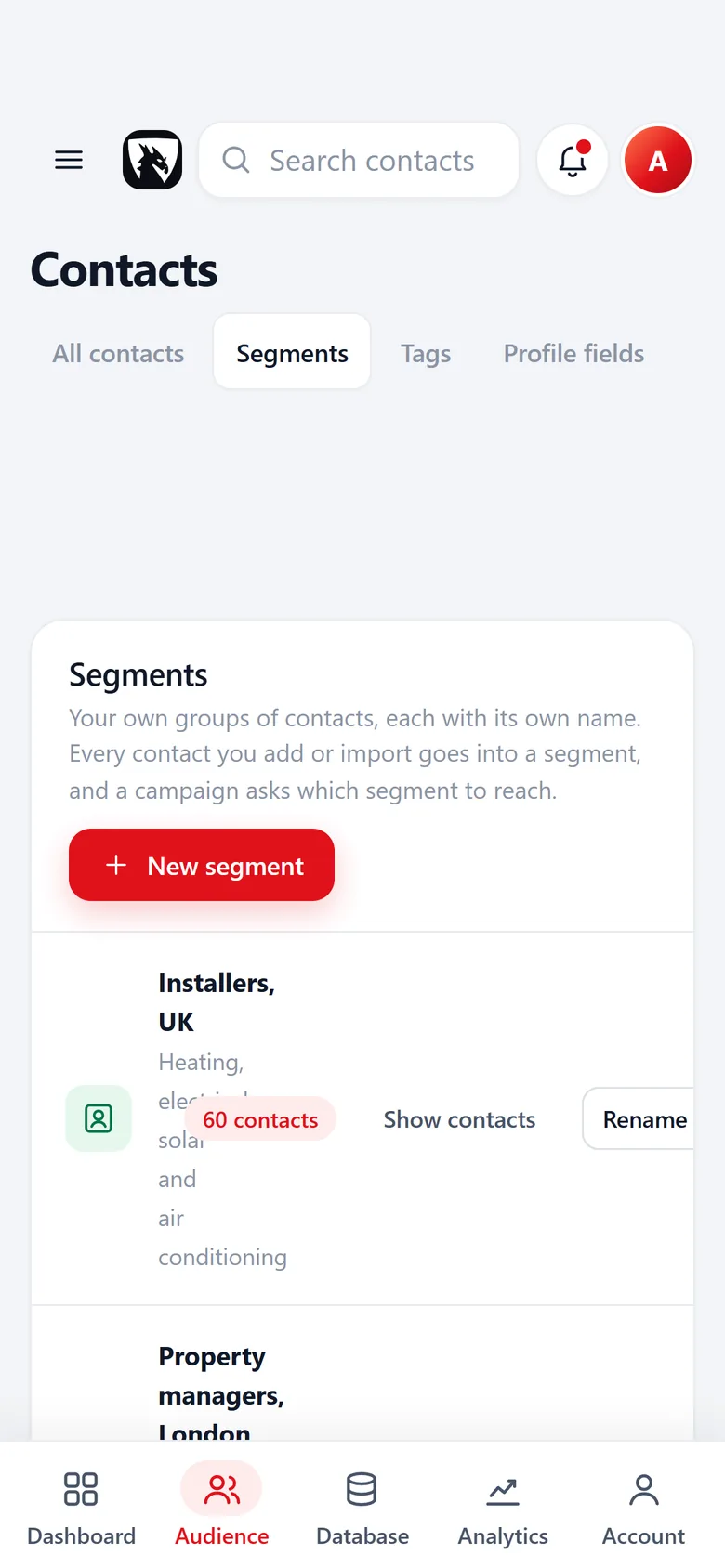
Named segments
Every import goes into a segment you name, with a contact count, ready to pick as a campaign audience.
Read more
Your own private server
Your list of plumbers lives in a database that belongs to your account alone, not in a shared pool.
Read moreEmailing plumbers in the UK
In the UK, B2B cold email is covered by the Privacy and Electronic Communications Regulations (PECR) and UK GDPR. PECR generally allows marketing email to corporate subscribers such as limited companies without prior consent, but sole traders and some partnerships are treated like individuals and usually need consent, and every message must identify you and offer a simple way to opt out. Under UK GDPR you also need a lawful basis, often legitimate interests, to use the details of named contacts. This is general information, not legal advice.
Early morning before the first job and late afternoon after site work are usually the best windows. Winter is busy for emergency work, so spring and summer can be calmer for new conversations. Read the deliverability guide before your first send.
Questions people ask
If your file has an email column, that wins. If it only has websites, tick the prefixes you want, such as info@, office@, enquiries@ and hello@, and Riftjaw derives addresses from each domain. Derived addresses are good guesses, not verified, so start with small batches.
Yes. The Free plan runs the whole pipeline on one list with small campaigns, and you do not need a credit card. Move to Pro when you want more lists, segments and bigger campaigns.
Yes. Put Cambridge in its own segment, or keep a City field and save a filter such as city contains Cambridge. You always see which part of the market you already worked.
Collect listings from public directories or a scraper export, then import the file into Riftjaw and map the columns. Add a Service area field so you can save a filter for each town and send to it separately.
Yes. Add a field or a tag such as gas work and fill it during import or by hand. A saved filter on that field gives you a separate list for heating related offers.
Other lists for Cambridge
 Hair Salons in CambridgeOwners who still work the floorEvent Planners in CambridgeWedding planners to conference agenciesIT Support Companies in CambridgeManaged service providers for small firms
 Solar Companies in CambridgeGrowing firms with sales and fitting crews
 Garden Centres in CambridgeFamily nurseries to destination stores
 Landscapers in CambridgeSeasonal work, from rounds to patios
Start your Cambridge list today
Create your account, import your first file of plumbers and see them as records you can work in a few minutes.
No credit card · cancel any time · your data stays yours